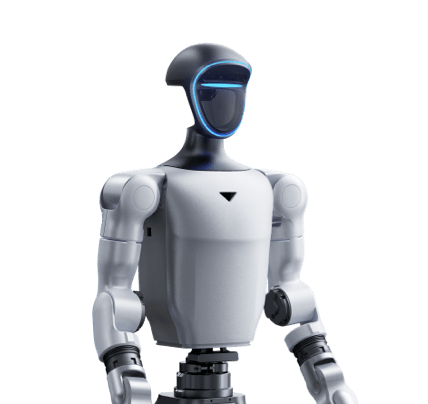
MALONI provides programming and behaviour configuration for humanoids on Unitree platforms, tailored to your project.
MALONI ROBOTICS
From a robotic platform to a defined task
Together, we define what the robot should do, which inputs it will use and how it should respond. We prepare the program and configuration for the agreed application, using the selected hardware and supported interfaces.
Use these scenarios as a starting point for our discussion. We assess feasibility for the selected model, equipment and available interfaces, then confirm the scope in the offer.
Welcoming visitors
Your task
Welcome guests at a company event or entrance area.
Example behaviour
On an operator’s cue, the robot waves and can trigger a prepared welcome message.
What we agree together
The trigger, permitted gestures and any audio output.
Product presentations
Your task
Include a humanoid in a presentation of a product or brand.
Example behaviour
Following the presenter’s cues, the robot performs agreed gestures and moves between prepared parts of the scenario.
What we agree together
Exhibit position, movement range and coordination with the presentation.
Responding to a visitor’s choice
Your task
Let a visitor select a topic or demonstration.
Example behaviour
A choice on a connected tablet or button panel starts the corresponding prepared robot sequence.
What we agree together
The selection interface, available scenarios and return to the initial state.
Teaching and controlled experiments
Your task
Repeat a movement sequence for teaching or comparing settings.
Example behaviour
On the operator’s cue, the robot performs agreed movements and returns to a defined initial pose for the next trial.
What we agree together
Programming access, experiment parameters and verification conditions.
Connecting an external application
Your task
Connect agreed robot behaviour to your application.
Example behaviour
After receiving an agreed message through a supported interface, the robot performs the assigned gesture or sequence.
What we agree together
The interface, message types, command acknowledgements and response to a lost connection.
A simple manipulation demonstration
Your task
Demonstrate moving a selected object between two fixed locations.
Example behaviour
With a suitable configuration, the robot could grasp a specified object after operator confirmation and place it at an agreed location.
What we agree together
A compatible hand or gripper, object properties, reach and workspace conditions.
How we work together
01
Task and configuration
We discuss the application, environment, required movements and responses, available hardware and interfaces. We define the work and verification criteria.
02
Programming and behaviour
We program the agreed scenarios and configure responses to supported inputs. The possibilities depend on the model, equipment and software support.
03
Verification in a defined environment
We verify the scenarios together under agreed conditions and record the results, operating settings and limitations.
04
Handover
We agree the handover contents in the offer: the program, settings overview, start-up procedure and verification results. Training and further changes are scoped for your project.
What to prepare for our discussion
Robot model and exact configuration
Description of the task and environment
Required inputs, responses and connections to other systems
Timeline and materials for verification
Scope and price for your project
We confirm the work, interfaces, verification conditions, deliverables, timeline and price in a written offer for your humanoid. We also agree any training and follow-up changes.
Let us discuss your humanoid’s behaviour
Send the model, configuration and a brief description of the task. We will discuss a suitable approach and prepare an individual offer.