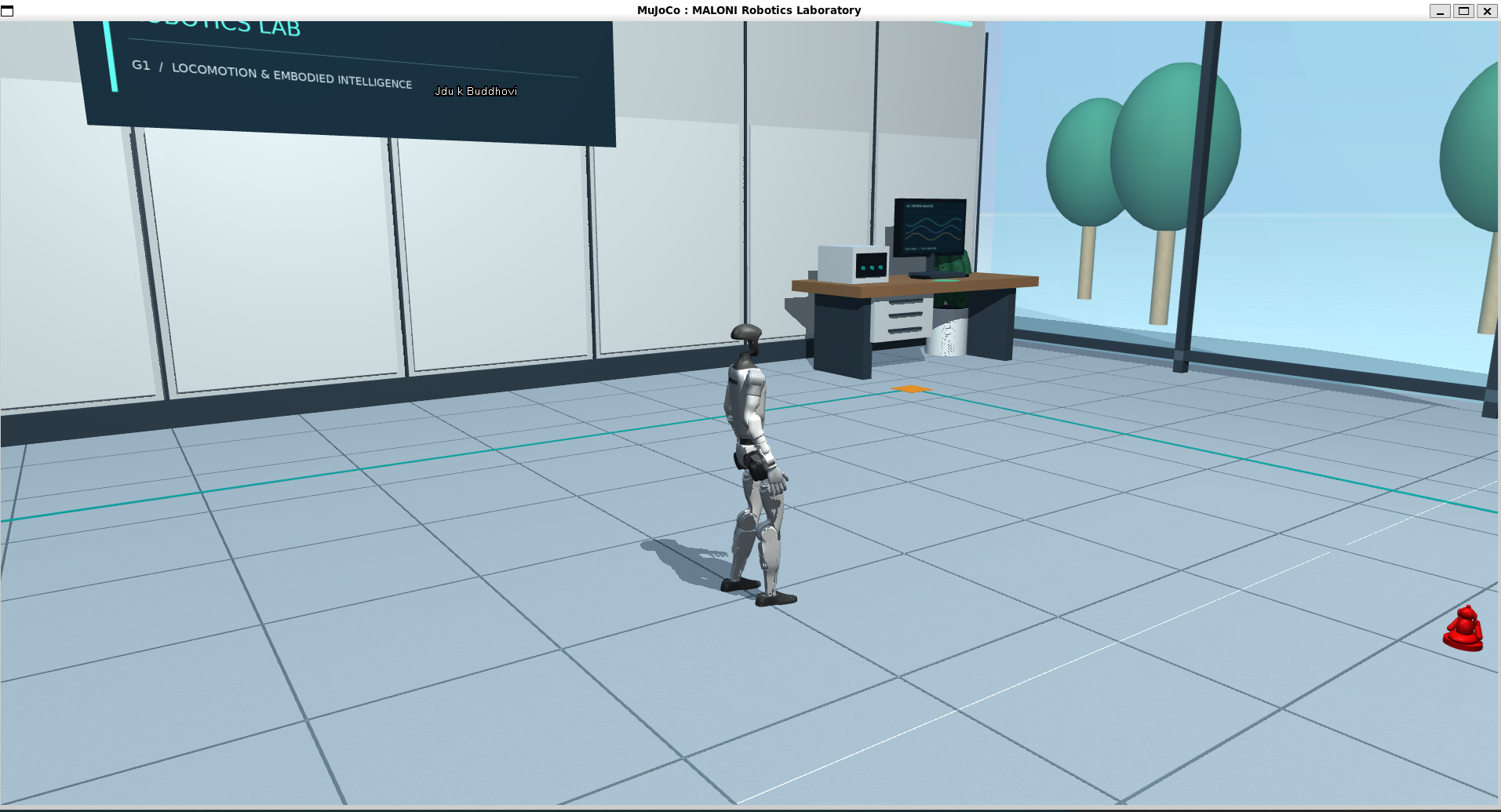
From humanoid motion to a complete task
MALONI Robotics has extended its Unitree G1 project from motion demonstrations to a coordinated sequence: approach a red Buddha figurine, carry it to the right-hand table and verify stable placement. The task controller connects route planning, neural-policy locomotion, arm motion and object-state checks.
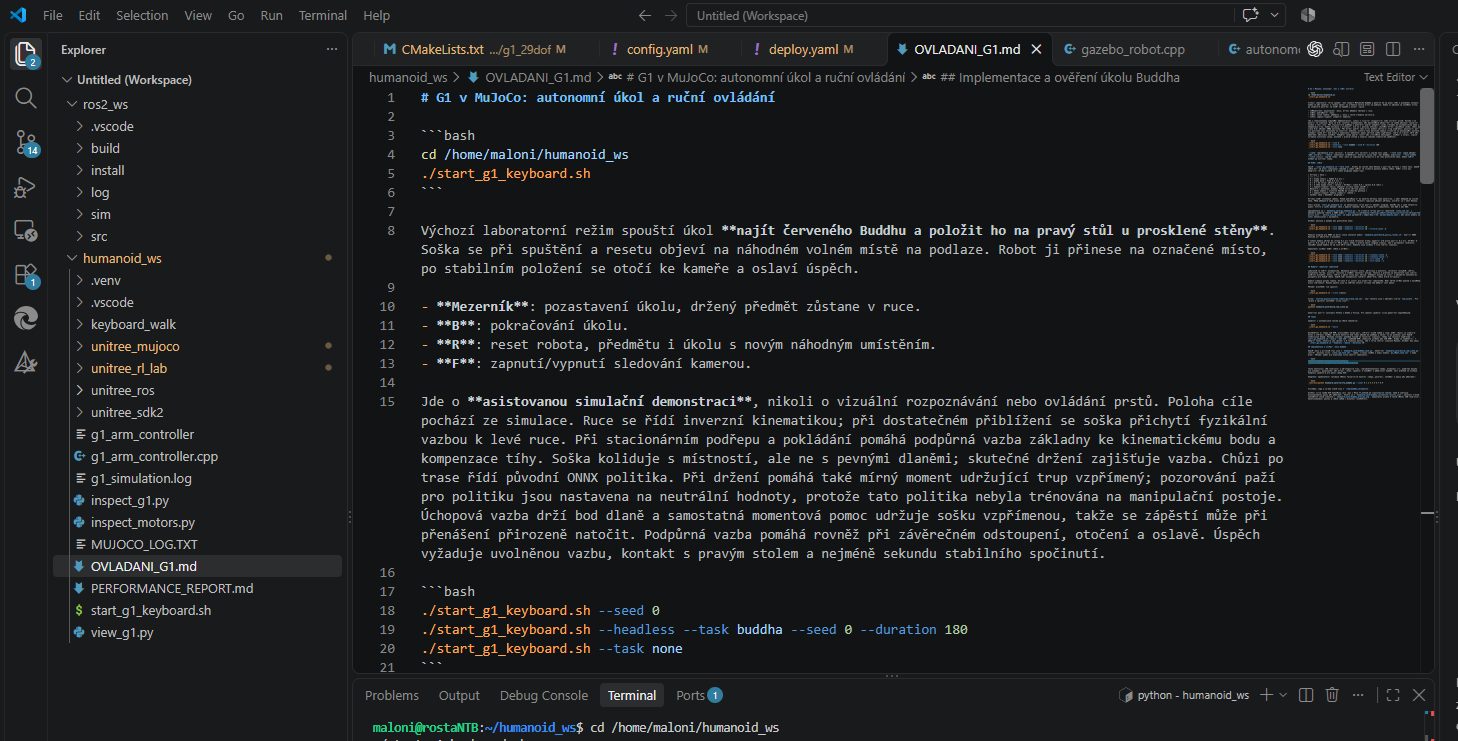
Here, autonomy means execution of a programmed sequence in a prepared virtual scene. This is an assisted simulation demonstration: MuJoCo supplies target coordinates, an auxiliary physics constraint holds the object, and stabilisation assists manipulation. The recording does not establish camera-based recognition, independent finger grasping or validated physical robot operation.
Performance report results at a glance
The following results come from the MALONI performance report compiled on 19 October 2026. The historical ten-seed validation set and three new latency measurements are separate groups of runs. These figures are not independent certification or a performance guarantee for other scenes.
| Metric | Result and scope |
|---|---|
| Completion | 10 / 10 tasks in the saved seed 0–9 set |
| Mean / median | 97.90 / 95.81 seconds of simulated time |
| Completion range | 77.22–128.34 simulated seconds |
| Empirical completion P95 | 125.26 simulated seconds; task limit 180 seconds |
| Horizontal placement error | Mean 9.83 mm; maximum 12.38 mm in assisted simulation |
| Control-cycle interval P95 | 4.008 / 5.577 / 5.640 ms wall time for seeds 0 / 3 / 4 |
| Intervals over 20 ms | 0 of 15,240 measured intervals across three headless runs |
The 100% figure refers only to ten completed tasks in this saved set. It covers one room, one object and one destination table rather than a representative sample of operating conditions. Seed 9 includes an approximately two-second carrying pause counted in its time. Earlier unsuccessful development attempts are outside this denominator.
How object location and transfer work
- At startup or reset, the figurine is placed at a free, reachable floor location. The controller obtains its position directly from simulator state.
- The planner generates a route using known static collisions. The original ONNX policy converts motion commands into joint-position targets for walking.
- The robot aligns and moves its arms toward defined points using inverse kinematics. Once proximity conditions are met, an auxiliary constraint attaches the object to the left hand.
- The controller coordinates lifting, carrying and placement on the designated right-hand table, using the documented support forces and constraints.
- After the grasp constraint is released, the object must rest on the table for at least one second. Retreat, camera alignment and celebration follow only after this check.
Technical stack: MuJoCo, Python, C++ and ONNX
| Component | Configuration |
|---|---|
| Robot | Unitree G1 model with 29 controlled joints |
| Simulator | MuJoCo 3.15.0 |
| Languages | Python 3.12 and C++17 |
| Locomotion | Pre-trained ONNX neural policy; no new policy training in this demonstration |
| Inference | ONNX Runtime 1.22.0 on CPU |
| Control / physics | 50 Hz control (20 ms simulation time); 500 Hz physics (2 ms step) |
| Joints and arms | Joint PD control; inverse kinematics for arm positioning |
| Scene | Virtual laboratory with furniture, static collisions and textures |
| Planning | Known scene geometry, 0.2 m grid, line-of-sight checks and 0.39 m radius |
| Modes | Manual walking, dancing and assisted object transfer; graphical viewer or headless |
| Controls | Keyboard, tracking camera, pause/resume and reset |
| Environment | Linux x86_64, Python 3.12; report measurements on WSL2 |
| ROS / DDS | The main demonstration runs without ROS or DDS |
Python implements the simulation loop and the BuddhaTask controller. The C++17 policy_runner helper loads the ONNX model and communicates with Python through process standard input and output. Joint torques use PD control, while manipulation uses inverse kinematics for the arms.
The demonstration application itself runs without ROS or DDS. MALONI also offers C++ and ROS 2 development, but ROS 2 is not a dependency of this particular example. Some video descriptions mention the wider technology context; this implementation description follows the checked repository revision.
What successful placement means
The task must complete within 180 simulated seconds of active task time. Grasp-constraint activation requires both palms to be within 65 mm of their defined grasp points. The validation script checks that activation does not overwrite object position or orientation.
Placement verification requires an inactive grasp constraint, contact with the right-hand tabletop, horizontal error below 160 mm and height error below 25 mm. The norm of the combined linear and angular velocity vector must stay below the implementation threshold of 0.06 for at least one second. This mixed threshold is not a standalone 0.06 m/s translational-speed limit.
The reported 9.83 mm horizontal error is the mean XY distance of the figurine root from the target marker when stable placement is confirmed. It uses exact simulator coordinates and assisted manipulation; it is not camera-measurement or physical-grasp accuracy. The one-second check also does not establish long-term stability after program completion.
How to interpret the latency measurements
The report measures seeds 0, 3 and 4 separately, sequentially and without a graphical viewer. The environment was an Intel Core i9-13900H, Linux under WSL2, Python 3.12.3, MuJoCo 3.15.0 and NumPy 2.5.3. ONNX uses CPU execution with one intra-op thread and OPENBLAS_NUM_THREADS=1. CPU frequency, core assignment and host load were not isolated.
| Seed / cycle-interval samples | Cycle-interval P95 / ONNX process and IPC P95 |
|---|---|
| 0 / 4,893 | 4.008 ms / 0.683 ms |
| 3 / 6,417 | 5.577 ms / 1.111 ms |
| 4 / 3,930 | 5.640 ms / 1.030 ms |
The control-cycle interval includes task control, observation preparation, policy communication, PD control, support forces and ten physics steps. “ONNX process and IPC” also includes communication and parsing in the helper process, so it is not isolated neural-network inference time. Instrumentation overhead was not subtracted.
P95 is calculated separately for each run by linear interpolation rather than averaging percentiles. The configured 20 ms is a simulation-time interval; table latencies are wall time measured with perf_counter_ns in an unslept headless loop. Zero intervals over 20 ms among 15,240 samples is an empirical result for these runs rather than hard real-time certification. This benchmark does not measure FPS, network latency, camera processing or a physical robot.
Assistance and the boundaries of autonomy
- Object position comes directly from the simulator. The project does not use camera-based detection of the red Buddha.
- The fixed hands have no controlled fingers. A point constraint holds the object and an auxiliary moment keeps it upright; the object collides with the room rather than the robot.
- A support constraint and gravity compensation assist crouching, placement and the finale. A torso stabilisation moment assists carrying; arm observations for the original policy are neutralised.
- The planner uses a known static environment. Dynamic obstacles, rearranged furniture, different surfaces and transfer to a physical G1 are not validated by this set.
Public source code and result traceability
The source is publicly available in the malonitest/Maloni repository. This article describes revision da5f9b1751adfe210ca74ef2a30e4d8aeac27bee, checked on 19 October 2026. Source links point to that specific version of the documentation, controller, validation script and benchmark.
The README documents installation and startup for Linux x86_64; original dependency revisions are pinned in dependencies/lock.json. OVLADANI_G1.md describes controls and assistance. verify_buddha.py provides seed validation and benchmark_performance.py provides latency measurement. These are resources for reproduction rather than a claim that installation and simulation were rerun while preparing this article.
The numerical summary comes from the supplied MALONI performance report. The checked public revision does not include the original result JSON files or complete report. According to the report, the historical ten-seed set lacks its original version fingerprint; the new measurements record SHA-256 fingerprints for source, configuration, scenes and the ONNX model. The original runs cannot be independently recomputed without the raw results.
The repository makes source files public; the checked revision does not specify a separate project licence. Usage terms therefore need to be checked separately, including the licences of upstream Unitree libraries and models. Public code availability alone does not establish unrestricted reuse rights.
MALONI continues developing humanoid software
The demonstration connects several parts of humanoid software into one testable task: planning, walking, manipulation and completion checks. For MALONI, it is another step from standalone motion examples toward complete-sequence control. Further development can address camera perception, reduced assistance and testing on actual hardware; the current results do not validate those capabilities.
MALONI Robotics continues developing humanoid software, simulation and robotics integration. For customer projects in the Czech Republic, Slovakia and Poland, we assess the platform, available interfaces, task and evaluation approach. Programming and support scope are confirmed for each project.
More humanoid programming examples
Sources and further reading
- Maloni — Unitree G1 in MuJoCo: README, revision da5f9b1 ↗MALONI / GitHub
- OVLADANI_G1.md — controls and assistance ↗MALONI / GitHub
- BuddhaTask — task controller and success conditions ↗MALONI / GitHub
- verify_buddha.py — validation method ↗MALONI / GitHub
- benchmark_performance.py — latency measurement method ↗MALONI / GitHub
- Dependencies — pinned upstream revisions and overlays ↗MALONI / GitHub
- MuJoCo MALONI Robotics Laboratory Ubuntu Autonomous Navigation ↗MALONI / YouTube
This article uses public code revision da5f9b1, MALONI’s own video and screenshots, and the supplied performance report dated 19 October 2026. Measured results are reported claims; the original JSON files are absent from the checked public revision and the runs were not independently reproduced here. The report and video describe assisted simulation rather than physical robot performance.